
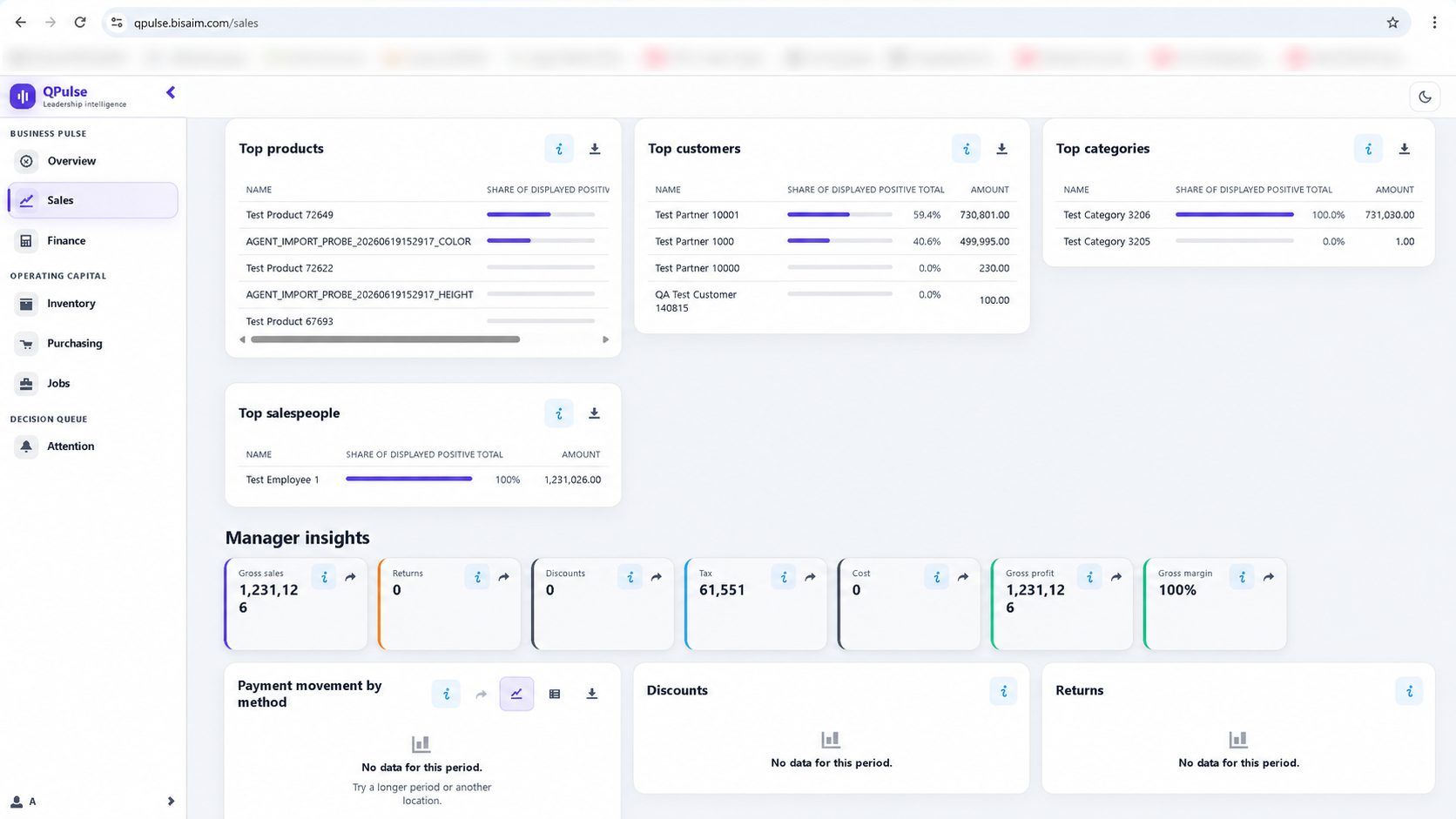
Sales performance
Review top products, customers, categories, and salespeople alongside gross sales, margin, tax, returns, discounts, and payment movement.

QBM executive insight
QPulse brings cash flow, financial health, sales performance, receivables, inventory, purchasing, jobs, and priority alerts together so managers can focus on the decisions that matter.
Availability: QPulse is available for QBM Premier and Enterprise customers, subject to authorized user access and company setup.
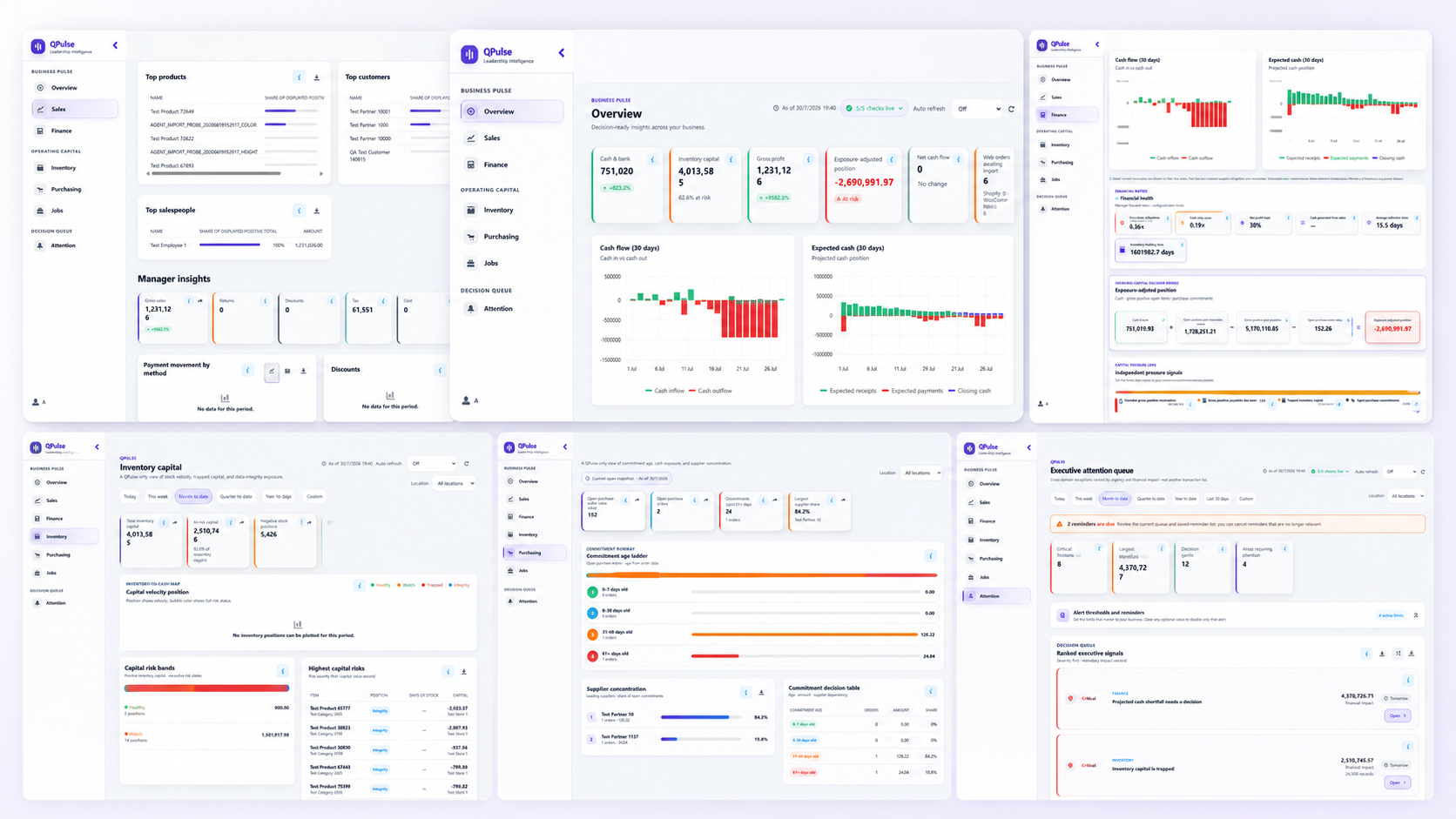
Real QPulse screens
These real QPulse pages show how decision-makers can review sales, financial health, working capital, purchasing commitments, and ranked executive signals without opening separate desktop reports.
Review top products, customers, categories, and salespeople alongside gross sales, margin, tax, returns, discounts, and payment movement.
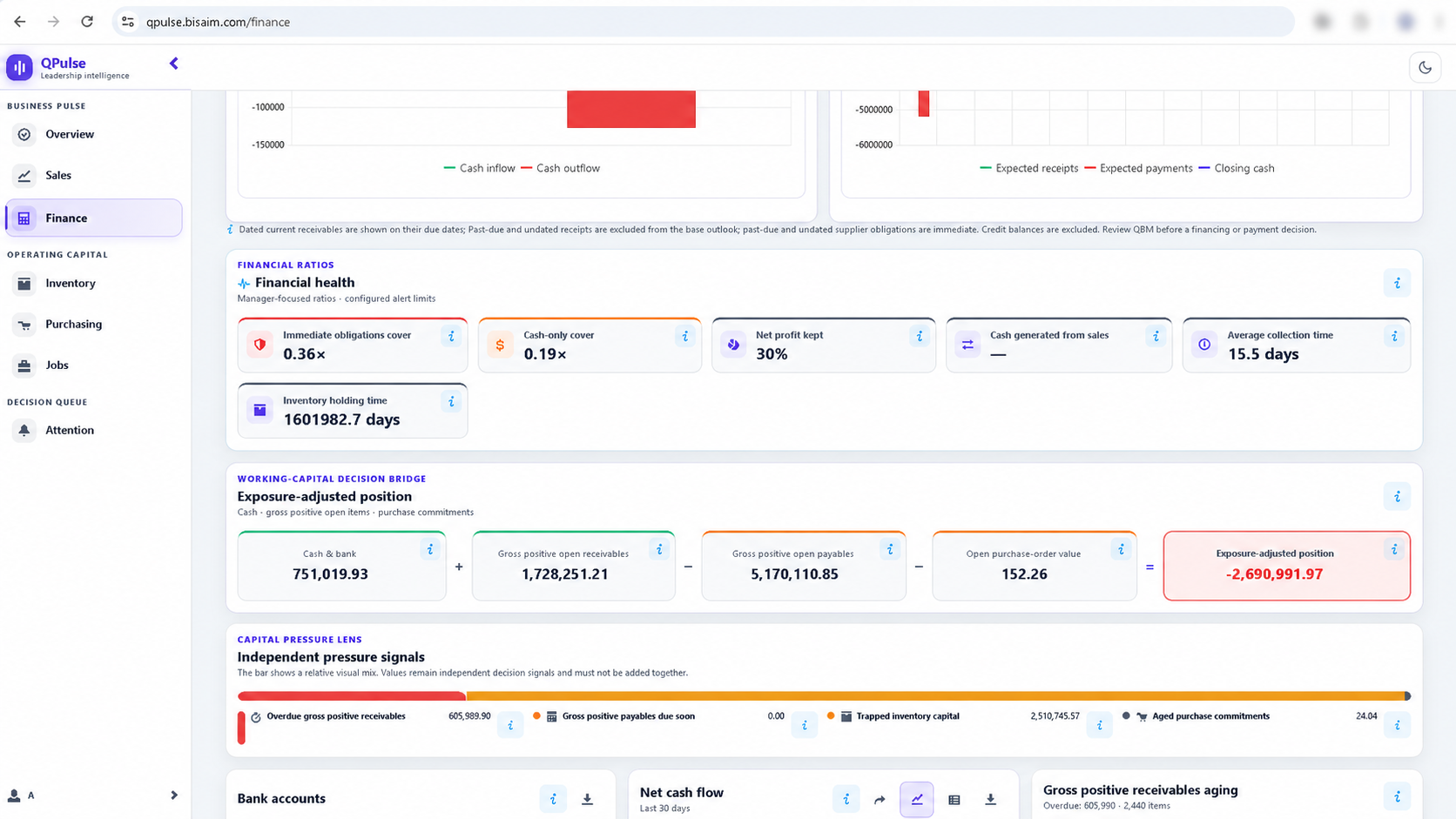
See manager-focused ratios, collection time, the exposure-adjusted position, and independent signals for receivables, payables, inventory, and purchase commitments.
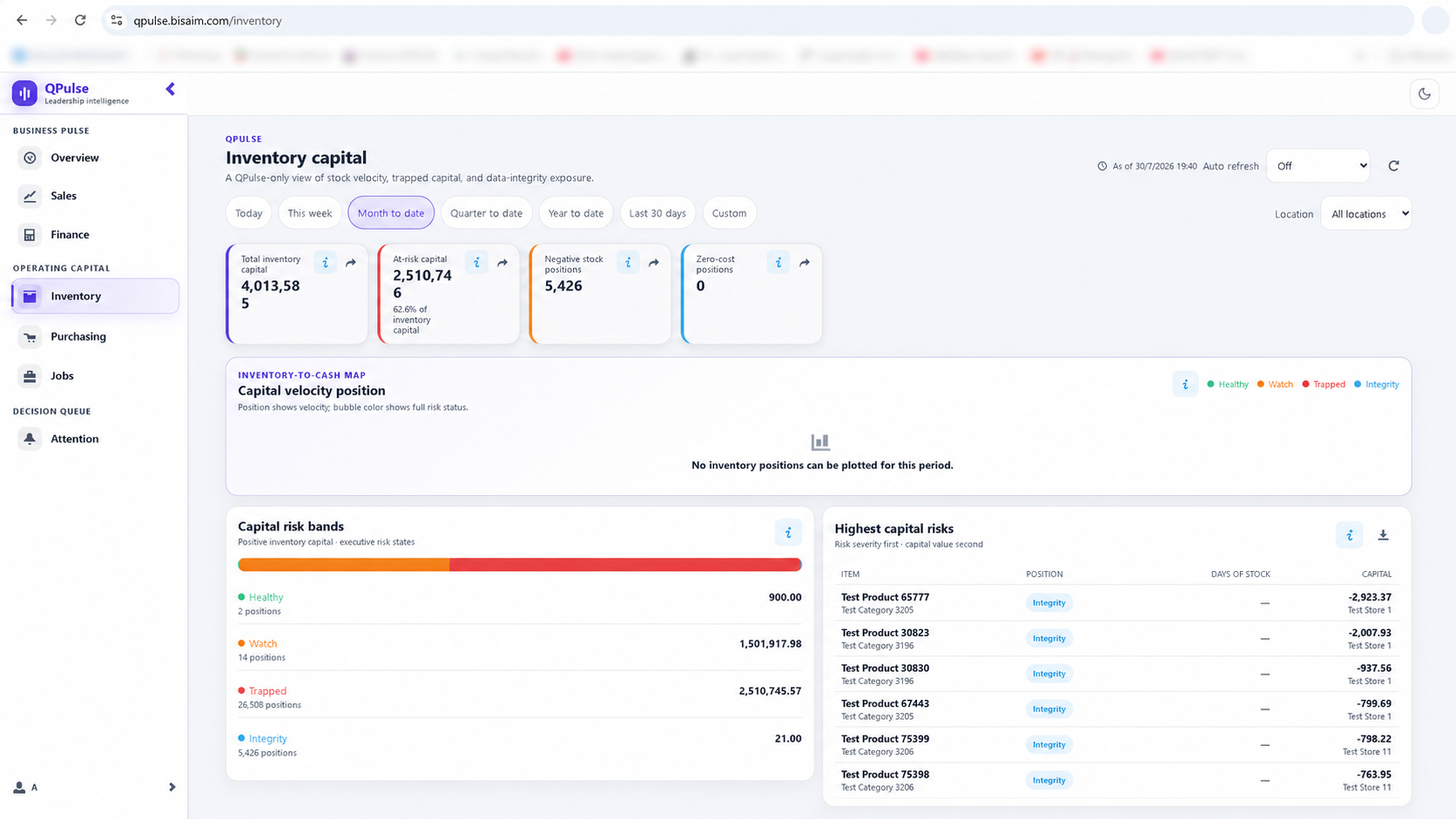
Review total and at-risk inventory capital, negative-stock and zero-cost positions, capital-risk bands, and the items carrying the highest exposure.
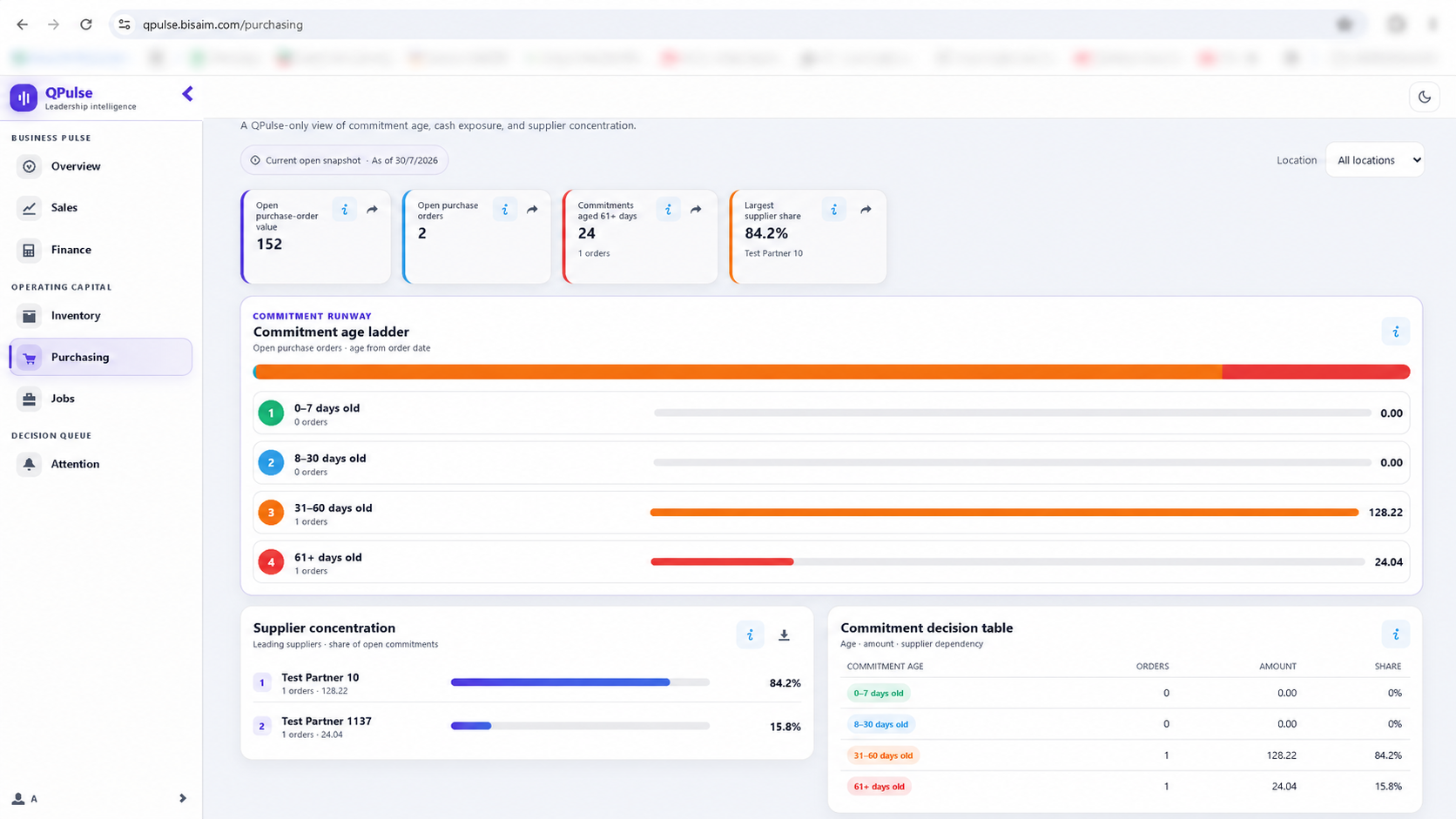
Track open purchase-order value, order count, aged commitments, supplier concentration, and the decision table behind current purchasing pressure.
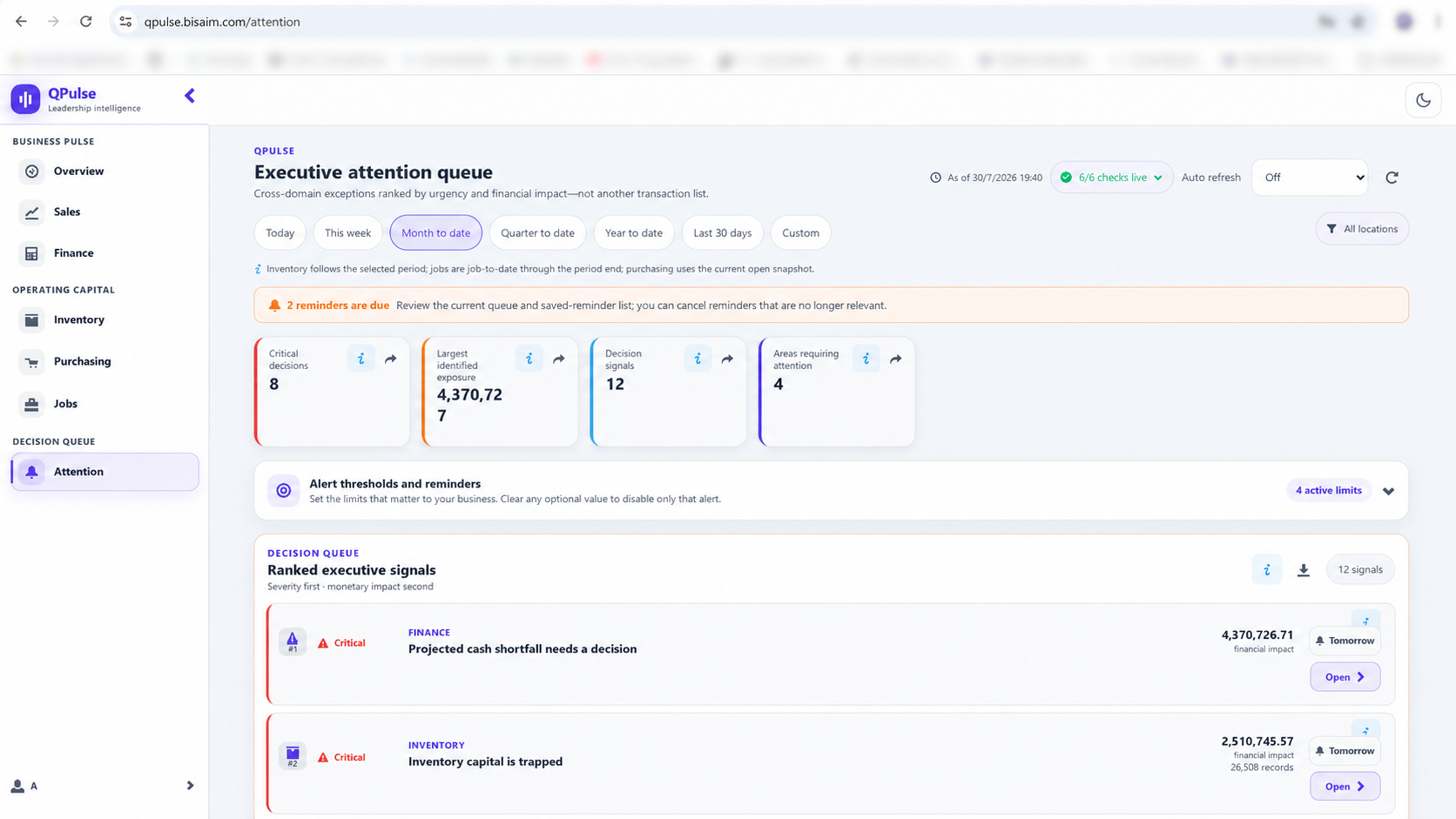
Bring reminders, critical decisions, identified exposure, affected business areas, and ranked executive signals into one action-focused queue.
These are real QPulse application screens captured in a test environment. Names and figures shown are demonstration data, not customer information. Select any screen to open the full-size image.
Customer outcomes
QPulse is the executive decision view for QBM. It helps owners, CEOs, managers, and finance leaders see how the business is performing and what needs attention.
See the cash outlook, projected shortfalls, overdue receivables, and payment pressure early.
Review profitability, liquidity, working capital, and financial ratios using clear management language.
Use ranked signals, alerts, and reminders to identify important sales, inventory, purchasing, supplier, and job conditions.
Use focused indicators and charts to understand trends, comparisons, income, expenses, and profit and loss.
Authorized managers receive browser access while the company retains ownership and control of its QBM data.
Open one management screen instead of opening several separate reports to answer the same questions.
What it does
QPulse turns approved QBM information into a concise management picture for authorized decision-makers, from the headline position down to the specific conditions worth acting on.
Owners, CEOs, general managers, finance managers, and authorized decision-makers who need a concise view across the business.
Replacing QBM, entering accounting transactions, or maintaining detailed operational master data.
Availability, authorized users, and access details are configured for each customer by the Business Aim implementation team.
QPulse FAQ
QPulse is available for QBM Premier and Enterprise customers, subject to authorized user access and company setup.
No. QPulse is a management view over information the company already keeps in QBM. Accounting entry, operational master data, and detailed workflow stay in QBM.
Company-level financial visibility should be limited to owners, managers, finance leaders, and other users the company approves.
The customer company does. Authorized managers receive browser access while the company retains ownership and control of its QBM data.
Use the main QBM site for ERP modules, demos, support documents, and implementation enquiries.