
Follow the customer journey
Create and review inquiries, quotes, sales orders, invoices, and cash sales in one familiar workspace.

QBM sales workspace
QSales helps authorized users create and review customer sales documents from their browser of choice, with customer, item, tax, location, and permission context tied back to QBM.
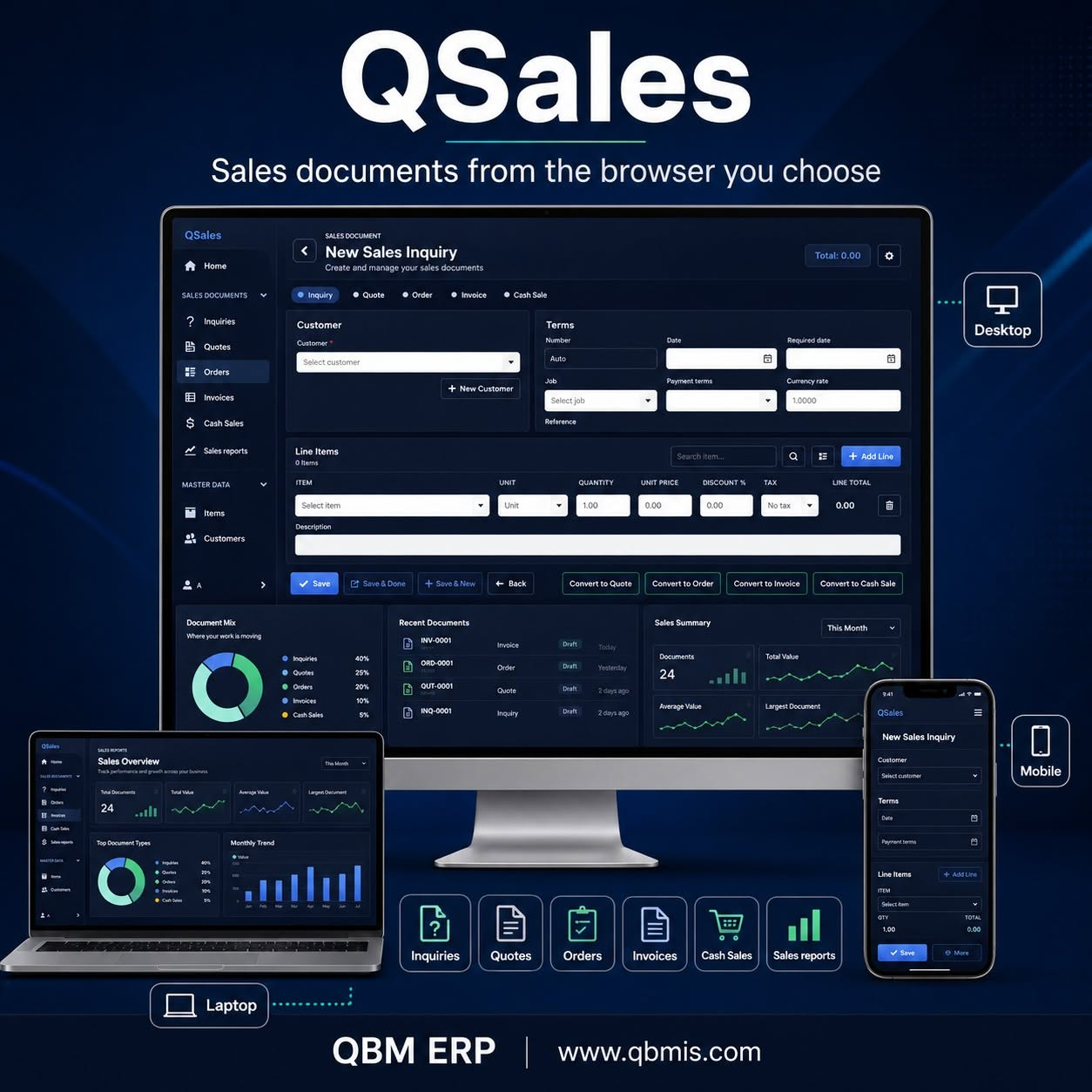
One connected sales workspace
From a quick customer lookup to item lines, totals, recent documents, sales reports, and supported document conversions, QSales helps sales teams keep moving without turning field sales into a separate system.
Create and review inquiries, quotes, sales orders, invoices, and cash sales in one familiar workspace.
Find customers and items, add line details, and work with the relevant price, tax, unit, location, and permission context.
Use supported conversions to continue customer work from an earlier sales document without starting the workflow again.
Review recent inquiries, quotes, orders, invoices, and cash sales from a sales-focused home workspace.
See document totals, mix, trends, top products, categories, customers, and recent activity for supported user views.
Open saved-document previews, choose supported layouts and document languages, and print when access rights allow it.
Document preview
QSales can present a saved sales document for review and printing, including supported language and bilingual-label choices.
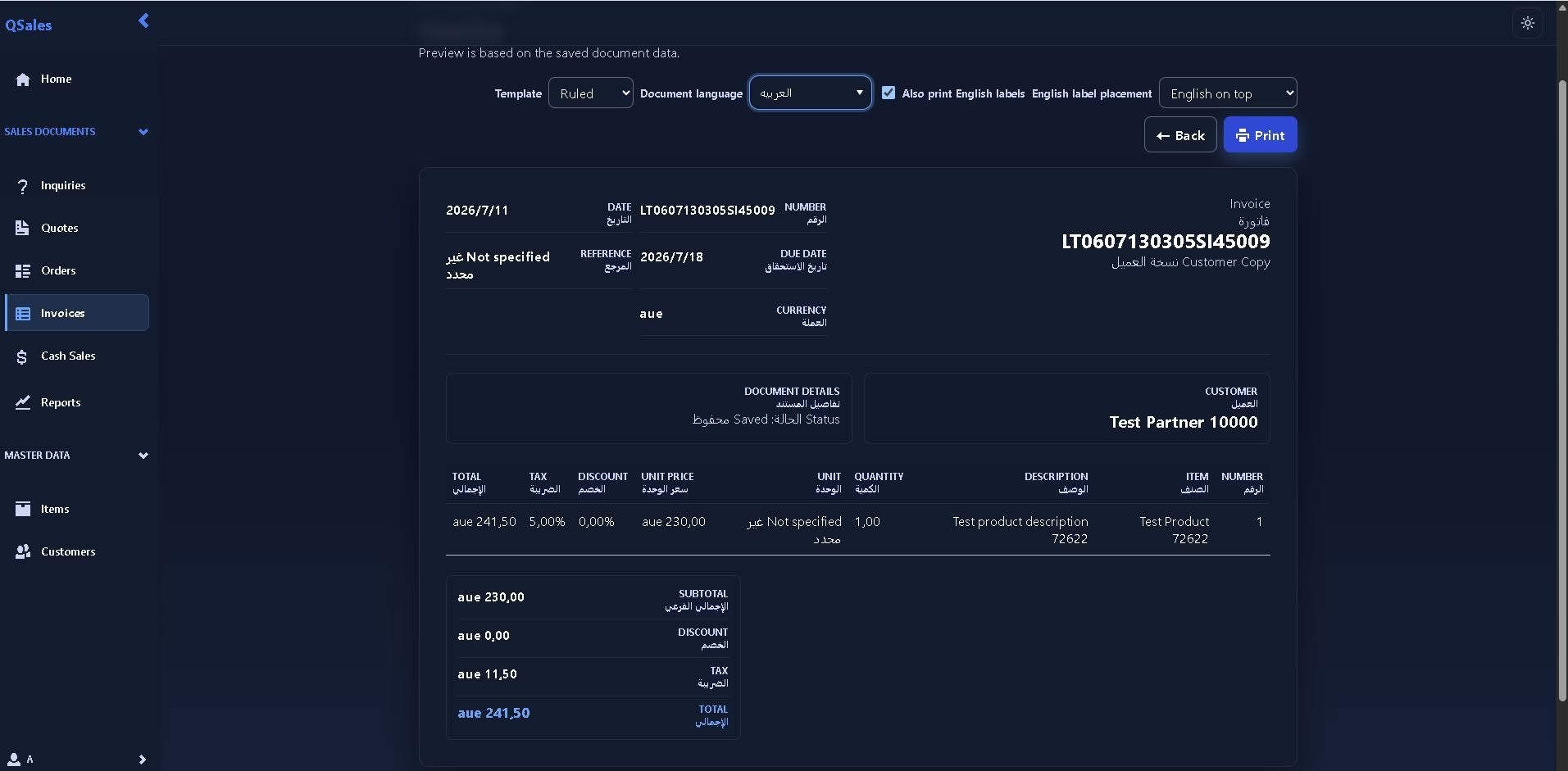
Work where the sale happens
With the right QBM access setup, authorized users can work from approved devices inside or outside the company location.
Continue normal sales entry and document review from a desktop or laptop browser.
Look up customer and item context while discussing the next inquiry, quote, or order.
Keep supported sales work moving from an approved mobile or laptop device.
Review recent work and continue customer documents when authorized access is available.
QSales is a QBM sales workspace, not a separate sales system. Availability depends on the customer's QBM setup, product access, user rights, and supported workflow.
Your next step
Discover QBM’s business modules, arrange a demo, or find implementation guidance and support.